If you're a Python developer using pytest, you've probably stared at your terminal, coffee in hand, willing those tests to finish faster. Slow suites grind your team's momentum to a halt, delay releases, and make everyone grumpy. Whether you're a solo coder or running thousands of tests in CI, this guide will make pytest faster without sacrificing reliability or coverage.
Why Test Speed Is a Big Deal
- Developer sanity: slow tests kill flow state.
- Faster CI pipelines: quicker feedback, fewer bugs slipping through, lower compute bills.
- More throughput: fast pipelines merge more PRs per day.
Ready? Here's how, roughly in order of effort-to-payoff.
1. Profile First: Find the Slowpokes
You can't fix what you don't measure. pytest's built-in duration report is the fastest way to find hot spots:
pytest --durations=10
That prints the 10 slowest tests and setup/teardown phases. Add --durations-min=1.0 to hide anything under a second. Setup showing up here usually means a fixture problem (see section 5), not a test problem.
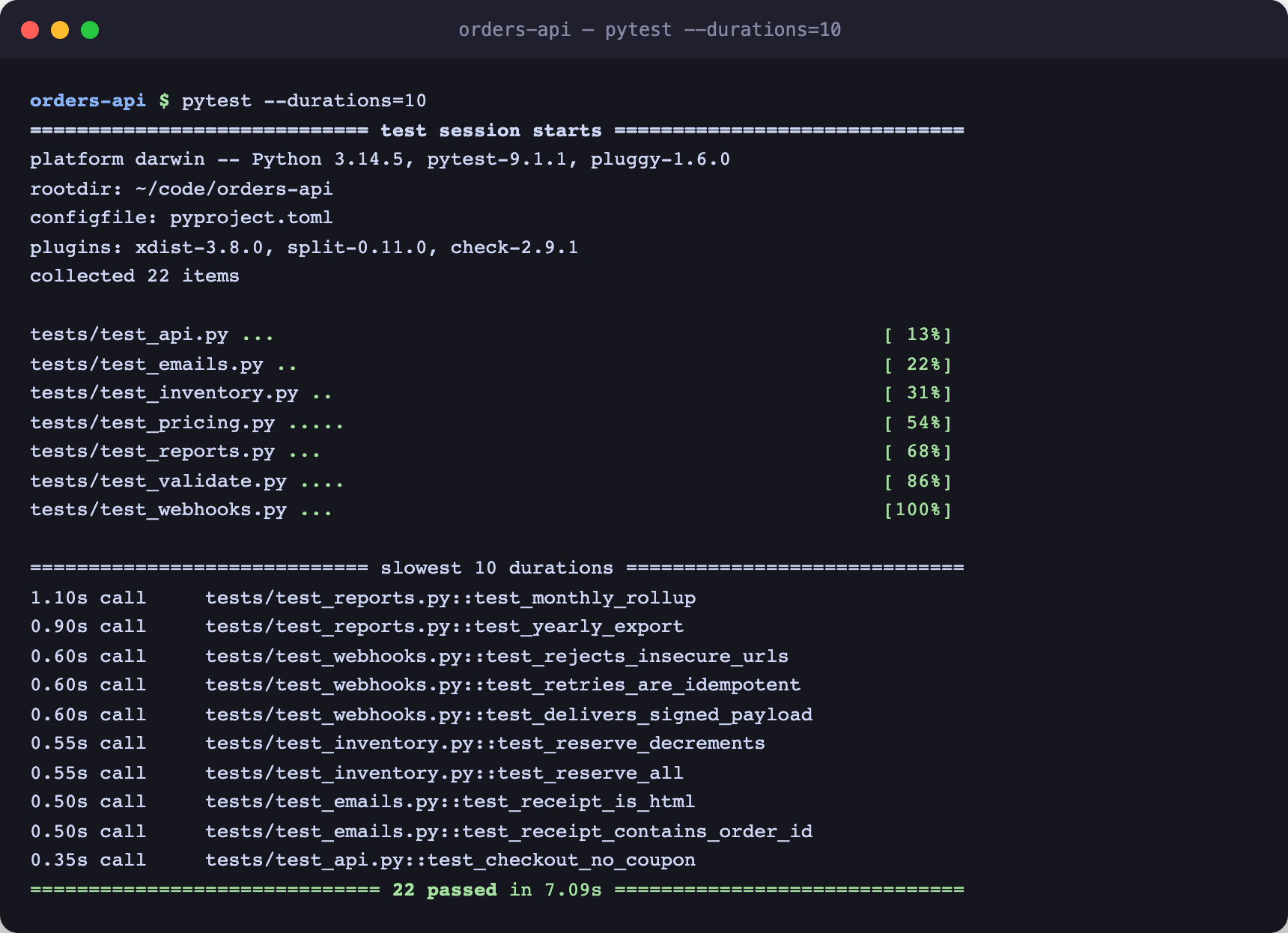
The durations table ranks your suite's hot spots instantly: here two report tests and three webhook tests account for most of the 7.09s total.
Want call-level detail? Add profiling:
pip install pytest-profiling
pytest --profile
If you run tests in CI, ship these numbers to a test analytics tool so you can see trends and catch regressions before they compound.
2. Parallelize with pytest-xdist (and Use worksteal)
The single biggest quick win for CPU-bound suites:
pip install pytest-xdist
pytest -n auto
-n auto uses all available cores. The default scheduler assigns tests round-robin, which balances badly when durations vary. Modern pytest-xdist has a better mode, work stealing, where idle workers pull tests from busy ones:
pytest -n auto --dist worksteal
For suites mixing 10ms unit tests with 30s integration tests, worksteal alone can shave minutes.
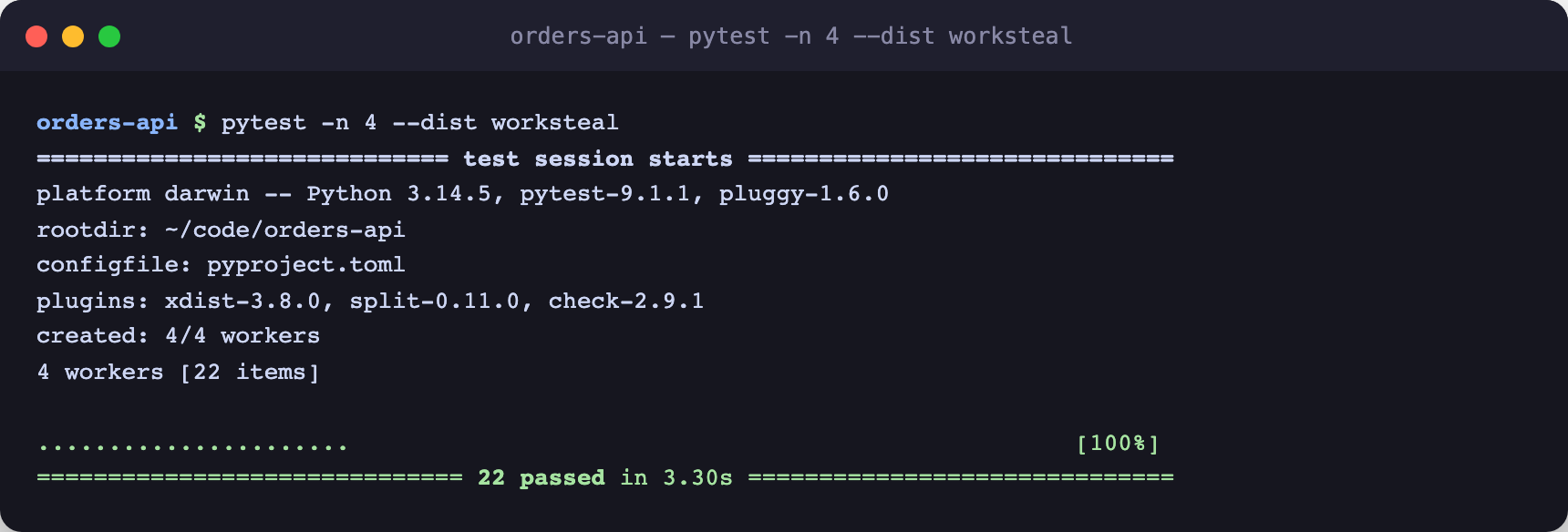
Same 22-test suite as above: 7.09s sequential drops to 3.30s with 4 workers stealing work as they go free.
Gotchas:
- Tests must be independent. Shared temp files, ports, or database rows cause flakiness under parallelism.
- Group tests that must share a resource with
--dist loadgroupplus@pytest.mark.xdist_group("db").
3. Django: Reuse the Database and Skip Migrations
If you use Django, database setup is probably your biggest fixed cost. Two flags:
pytest --reuse-db --no-migrations
--reuse-dbkeeps the test database between runs instead of recreating it.--no-migrationsbuilds tables directly from your models instead of replaying every migration. On projects with years of migration history this is often the bigger win.
Re-run with --create-db whenever you actually change the schema.
4. Cut Down on Database Hits
Every ORM query in a test adds up:
- Use
@pytest.mark.django_dbonly on tests that truly need the database. - Keep pure logic tests as plain pytest functions with no DB fixtures at all.
- Mock slow I/O with
pytest-mockorunittest.mock.
Shifting even 20% of your tests off the DB makes a noticeable difference.
5. Fix Your Fixture Scopes
Expensive setup that runs per-test is the most common self-inflicted slowdown. Scope it up:
@pytest.fixture(scope="session")
def expensive_setup():
    # runs once per test session, not once per test
    ...
But don't go overboard: session-scoped mutable state is a classic source of order-dependent flaky tests. Scope up immutable or read-only setup; keep mutable state function-scoped.
6. Re-run Only Failures While Debugging
pytest's cache remembers the last run:
pytest --lf        # only the tests that failed last time
pytest --ff        # failures first, then everything else
(--lf is short for --last-failed; they're the same flag.) In CI you can cache .pytest_cache between runs, but treat it as a local-dev convenience first.
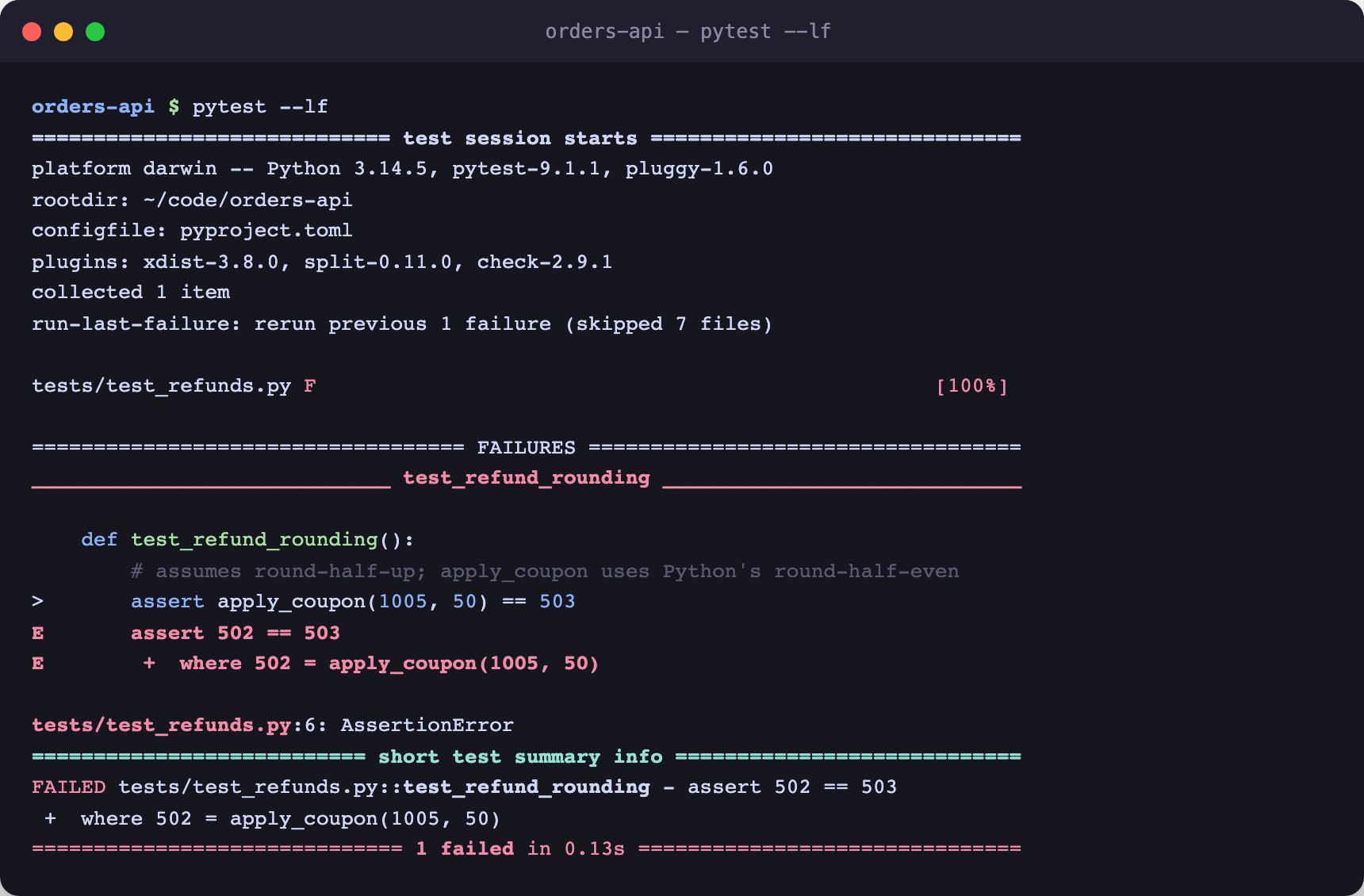
One failing test from the previous run reruns alone in 0.13s; pytest skips the other 7 files entirely while you iterate on the fix.
7. Run Only What You Need
Scope runs while iterating:
pytest -k "login and not slow"
pytest tests/api/ -x        # one directory, stop at first failure
For smarter selection, pytest-testmon tracks which tests depend on which code and runs only the affected subset on each change.
8. Mark and Skip Slow Tests by Default
Some tests are slow by design (big imports, end-to-end flows). Mark them:
@pytest.mark.slow
def test_big_data_import():
    ...
Then keep everyday runs fast:
pytest -m "not slow"
Run the full suite nightly or on main-branch merges. Register the mark in pyproject.toml so typos fail loudly.
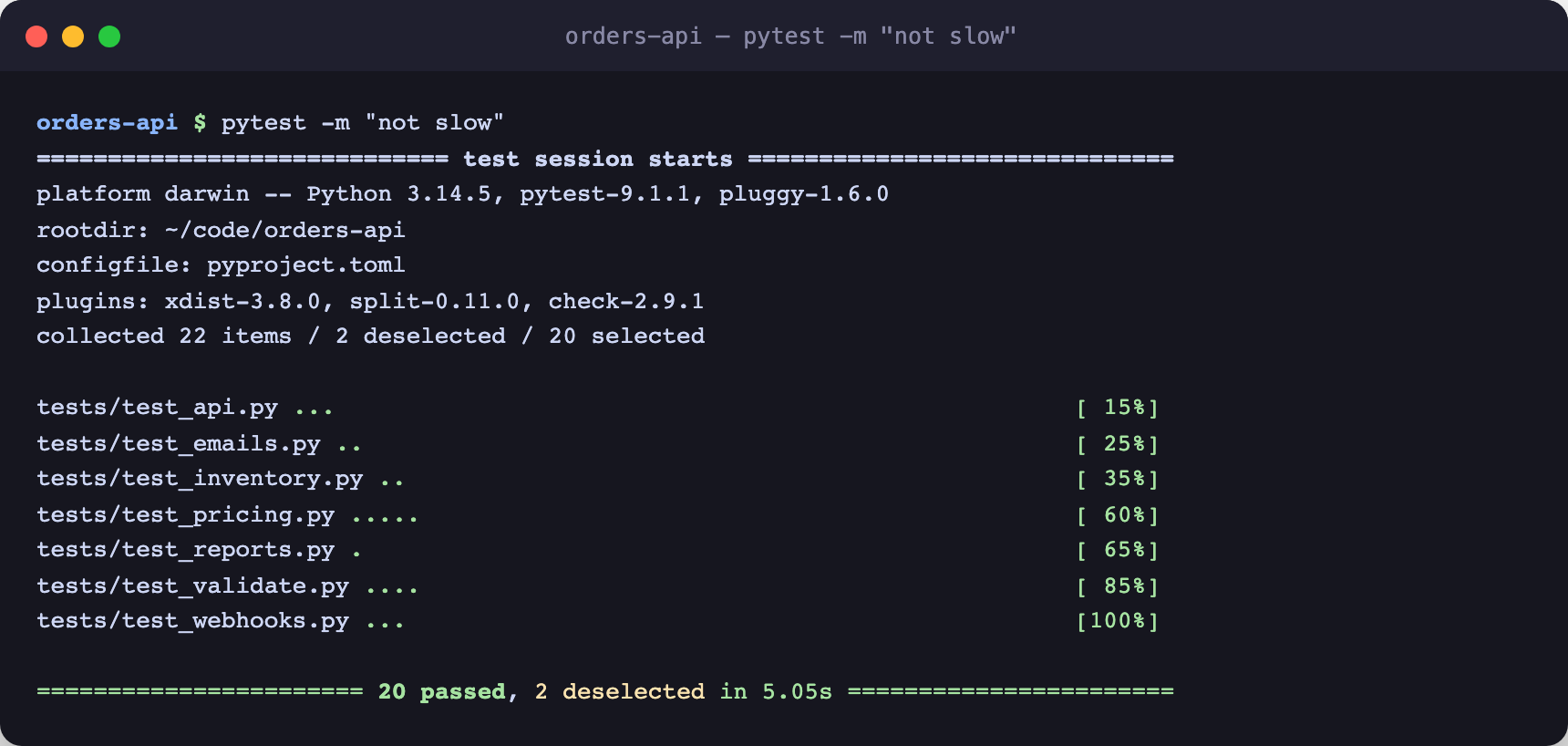
Two slow report tests get deselected and the everyday run drops from 7.09s to 5.05s without touching a line of test code.
9. Slim Down Imports
Heavy imports quietly tax every test process, and under xdist each worker pays the cost. That module-level import tensorflow might be adding seconds per worker.
- Move heavy imports inside the tests that need them.
- Profile import time with
python -X importtime -c "import your_package"or pyinstrument.
10. Shard by Duration in CI
Beyond one machine, split the suite across CI jobs. Naive file-count splits balance badly; duration-based splitting keeps shards even:
pip install pytest-split
# store timings once (e.g. nightly): pytest --store-durations
pytest --splits 4 --group 2   # this job runs shard 2 of 4
Wire --splits/--group into a GitHub Actions matrix and each shard finishes in roughly total-time/4.
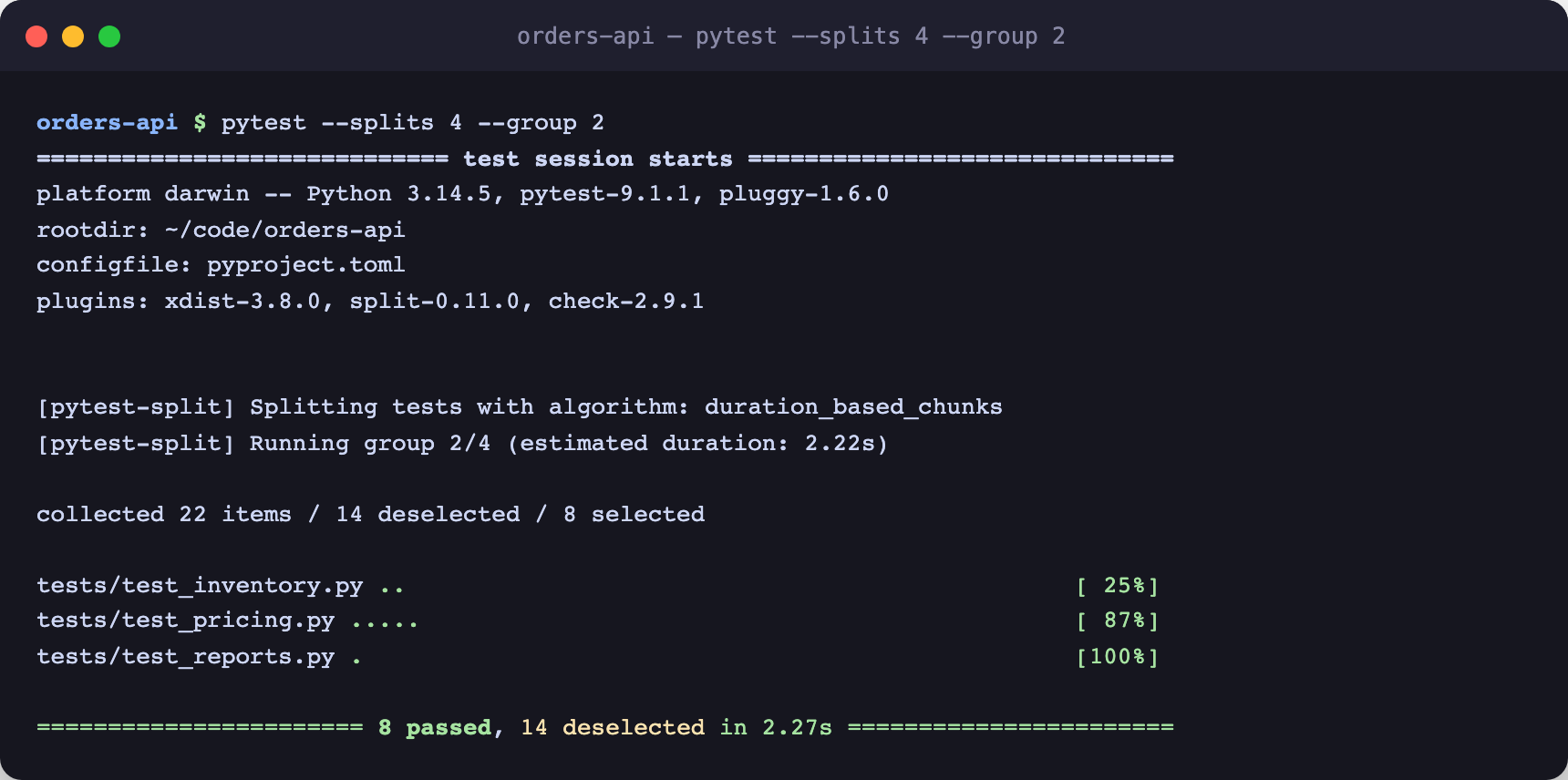
pytest-split chunks by stored durations, not file count: group 2 of 4 gets 8 tests estimated at 2.22s, keeping all four CI shards evenly loaded.
11. Optimize the CI Environment Itself
- Prebuild a Docker image with Python, dependencies, and services installed; don't pip-install the world every run.
- Cache your virtualenv or uv/pip cache keyed on the lockfile.
- Use RAM-backed storage for ephemeral test databases.
- Run on machines with enough cores to make
-n autoworth it.
FROM python:3.13-slim
RUN pip install pytest pytest-xdist pytest-django
CMD ["pytest", "-n", "auto", "--dist", "worksteal"]
12. Squash Flaky Tests
Flaky tests don't just erode trust; every retry is pure added wall-clock time. Root them out:
- Ditch
time.sleep()waits; wait on conditions instead. - Mock network calls and other nondeterministic I/O.
- Randomize order locally with
pytest-randomlyto surface order dependence early.
BuildPulse detects which tests are flaky, ranks them by how much engineering time they burn, and lets you quarantine the worst offenders so they stop blocking merges. See our ultimate guide to fixing flaky tests for the full playbook.
13. Bonus: Batch Assertions with pytest-check
pytest stops at the first failed assertion, which can mean several debug cycles per broken test. pytest-check reports every failing assertion in one run:
import pytest_check as check

def test_something():
    check.equal(a, 1)
    check.is_in(b, [2, 3])
Wrapping Up
Speeding up pytest isn't about shaving seconds for their own sake: it's about tightening the whole development loop. Profile first, parallelize with worksteal, fix your fixtures and Django DB setup, then shard in CI.
All of these changes speed up your tests, but at some point hardware and execution environment become the bottleneck. BuildPulse Runners run your GitHub Actions jobs 2x faster at half the cost, with no tooling changes.